

Own product, built and run by Web Total Solution
WTS CRM
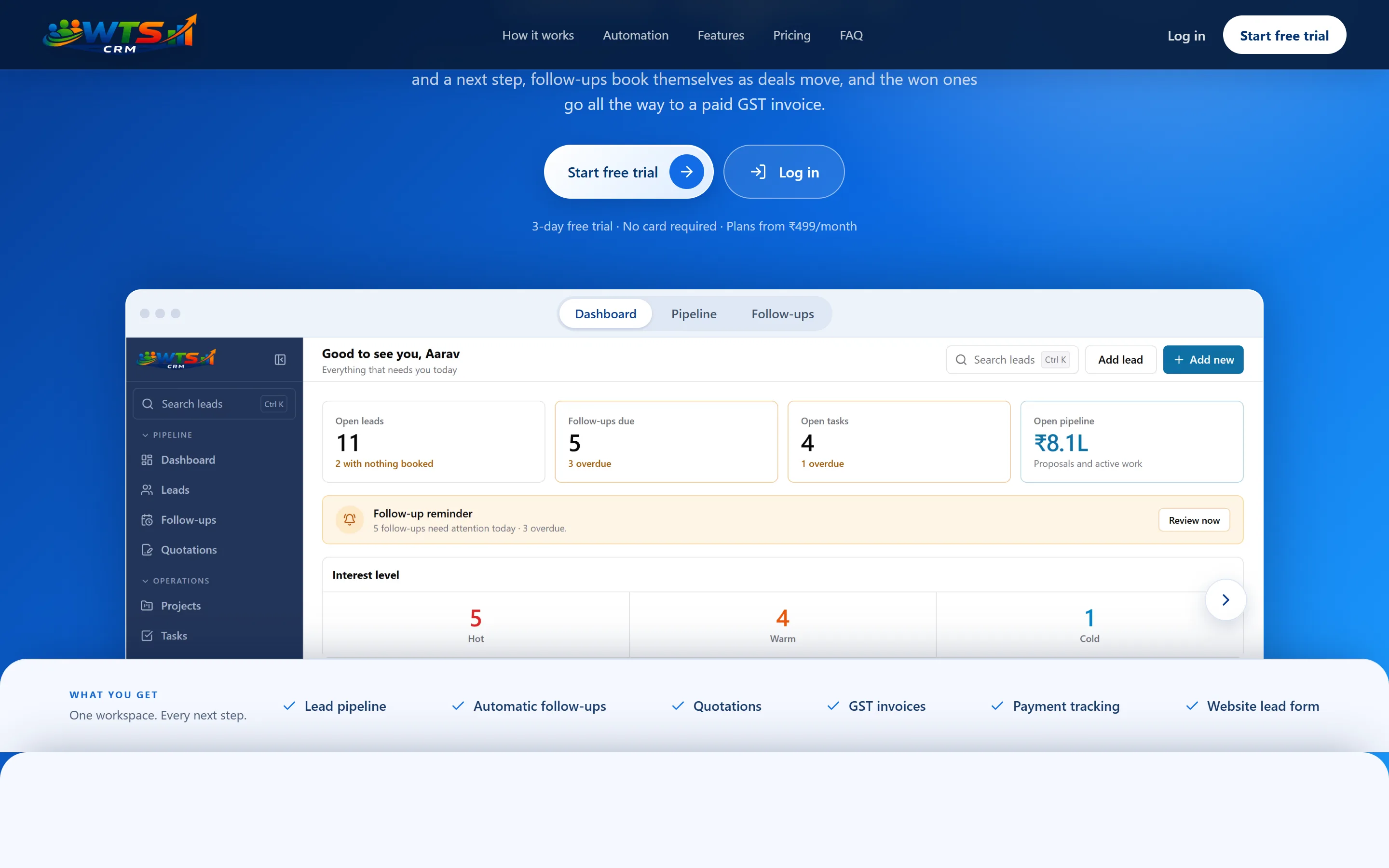
WTS CRM helps Indian service businesses capture enquiries, stay on top of follow-ups, send quotations, manage client projects and track invoices and payments.
- What it is
- Subscription web application
- Built for
- Indian service businesses
- Status
- Live, with a free 3-day trial
- Our role
- Scope, design, engineering, operations
Why we built it
A small service business tracks enquiries in WhatsApp and a spreadsheet, and the next step depends on someone remembering it. WTS CRM connects the whole path in one workspace, for one person or a team.
Start as a solo operator or bring your team into a shared workspace. Features depend on your plan, and some integrations need separate setup.
One workflow, from enquiry to payment
The product is scoped around these six stages. Each one hands over to the next.
1Lead
Capture an enquiry or import existing leads, then qualify and assign it.
2Follow-up
Schedule the next call or message and see what is due today.
3Quotation
Send an itemised quote and track when the customer views or accepts it.
4Project
Keep delivery tasks, notes and client context together after the deal is won.
5Invoice
Create a GST invoice with the right items, branding and tax details.
6Payment
Record full or partial payments and follow up on the balance.
What it does at each stage
Keep every lead in context
Store contact details, source, value, notes and activity together. Move leads through stages, mark them hot, warm or cold, and use filters and saved views to focus your day.
Plan follow-ups and calls
Schedule calls, messages, emails or meetings, record outcomes and book the next action. See due and overdue work on the dashboard and calendar.
Send quotations
Build itemised, branded quotations with discounts, charges and applicable GST. Share a customer link, track views and decisions, then convert an accepted quote to an invoice.
Invoice and track payments
Create branded GST invoices, record full or partial payments, and see the remaining balance. Prepare overdue reminders for WhatsApp.
WTS CRM subscription prices
Monthly prices in Indian rupees for the CRM product. These are separate from our website project pricing, which is quoted in USD.
| Plan | Price (INR) | Best for |
|---|---|---|
| Trial | Free | 3 days to explore the complete workspace. |
| Starter | ₹499 / month | The essentials for an independent professional on a budget. |
| Solo | ₹999 / month | The complete CRM for one owner. |
| Team | ₹2,499 / month | Shared CRM operations for an agency team. |
| Agency | ₹4,999 / month | More capacity and support for a growing agency. |
The free trial unlocks the complete workspace for 3 days, with up to 100 clients and no card required. Quotations, projects, GST invoicing and payments depend on the selected plan.
Common questions
The product’s own site has the full FAQ.
- Who is WTS CRM for?
- Indian service businesses, from independent professionals to agency teams, that need to manage enquiries, follow-ups, quotations, client work and payments in one place.
- How much does WTS CRM cost?
- The 3-day trial is free, unlocks the complete workspace, allows up to 100 clients and needs no card. Starter is ₹499 per month for one user and up to 100 clients. Solo is ₹999 per month with every CRM feature and unlimited clients and leads. Team is ₹2,499 per month with five seats included; extra seats cost ₹399 per month each. Agency is ₹4,999 per month with fifteen seats, advanced reporting and priority support; extra seats cost ₹299 per month each.
- Does WTS CRM send WhatsApp messages automatically?
- No. WhatsApp actions use click-to-chat: WTS CRM prepares the message, and you review and send it in WhatsApp. It is not a shared WhatsApp inbox or an automatic sender.
- Which integrations need separate setup?
- Meta Lead Ads, Exotel calling and Google Calendar require their own connection and setup. Local business lead search also needs its search integration and launch setting enabled; some scheduled emails depend on backend configuration.
Planning a product of your own?
We design and build product interfaces and web applications as separately scoped projects. Tell us who uses it and what it has to do.
- 1
You describe the project
A few lines about the business, the audience and what the website or product needs to do.
- 2
We reply within one working day
By email, or WhatsApp if you left a number, with any questions and a suggested time for a discovery call.
- 3
We agree the scope together
Pages, content responsibilities, integrations and anything that needs a separate budget.
- 4
You receive a written quote
Scope, price, payment milestones and timeline in writing. There is no obligation to go ahead.